Seating chart software for nonprofit galas
Nortora helps nonprofit teams place guests with sponsor commitments, donor relationships, meal needs, accessibility notes, and event-night check-in in mind.
Drag-and-drop
Move guests quickly as changes come in.
Sponsor aware
Keep hosted guests and tables organized.
Event-night ready
Carry table and seat context to check-in.
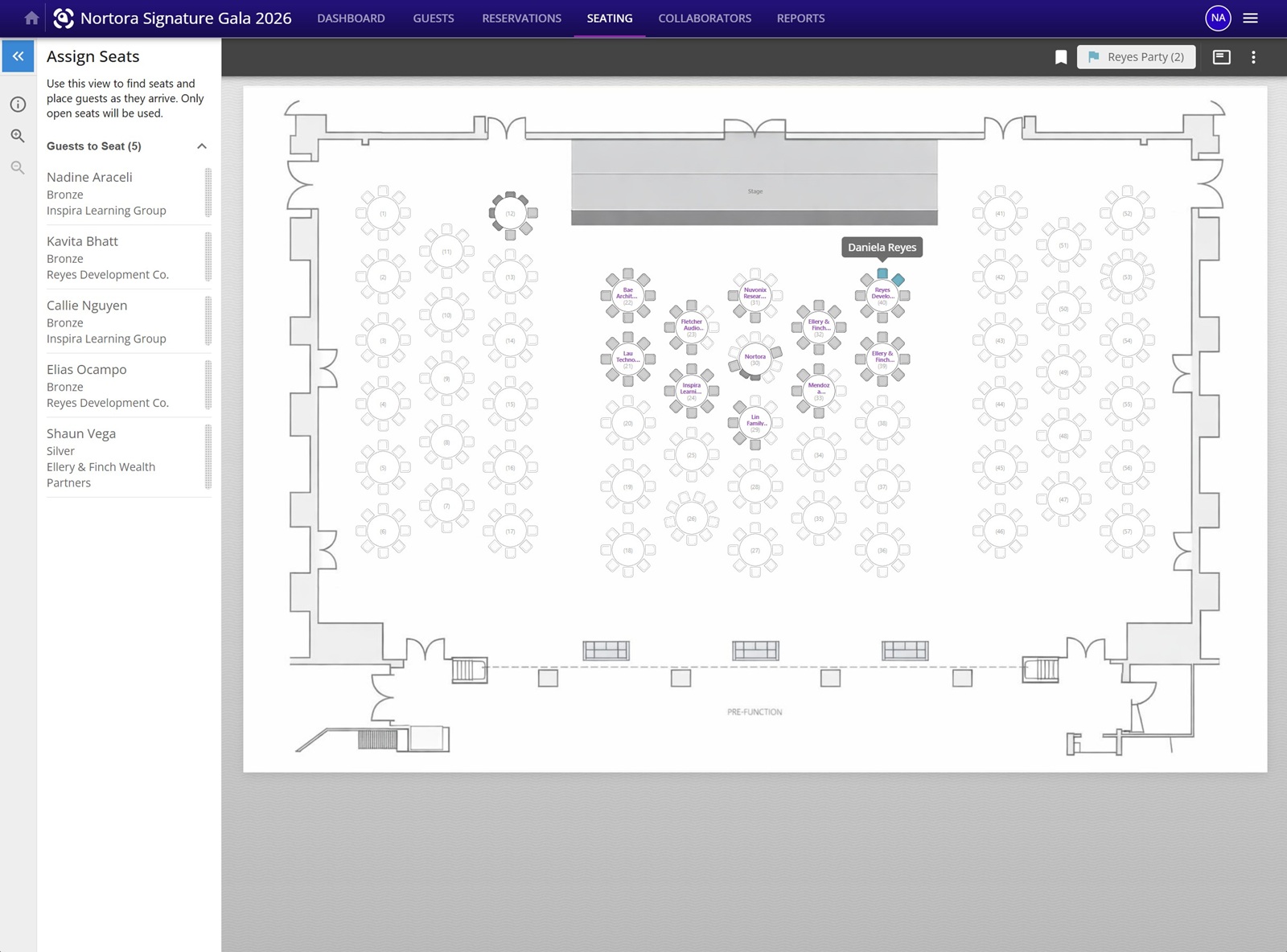
Drag-and-drop seating for the full room
Place guests visually, track open seats, and keep sponsor tables, parties, and assignments connected as your seating plan changes.
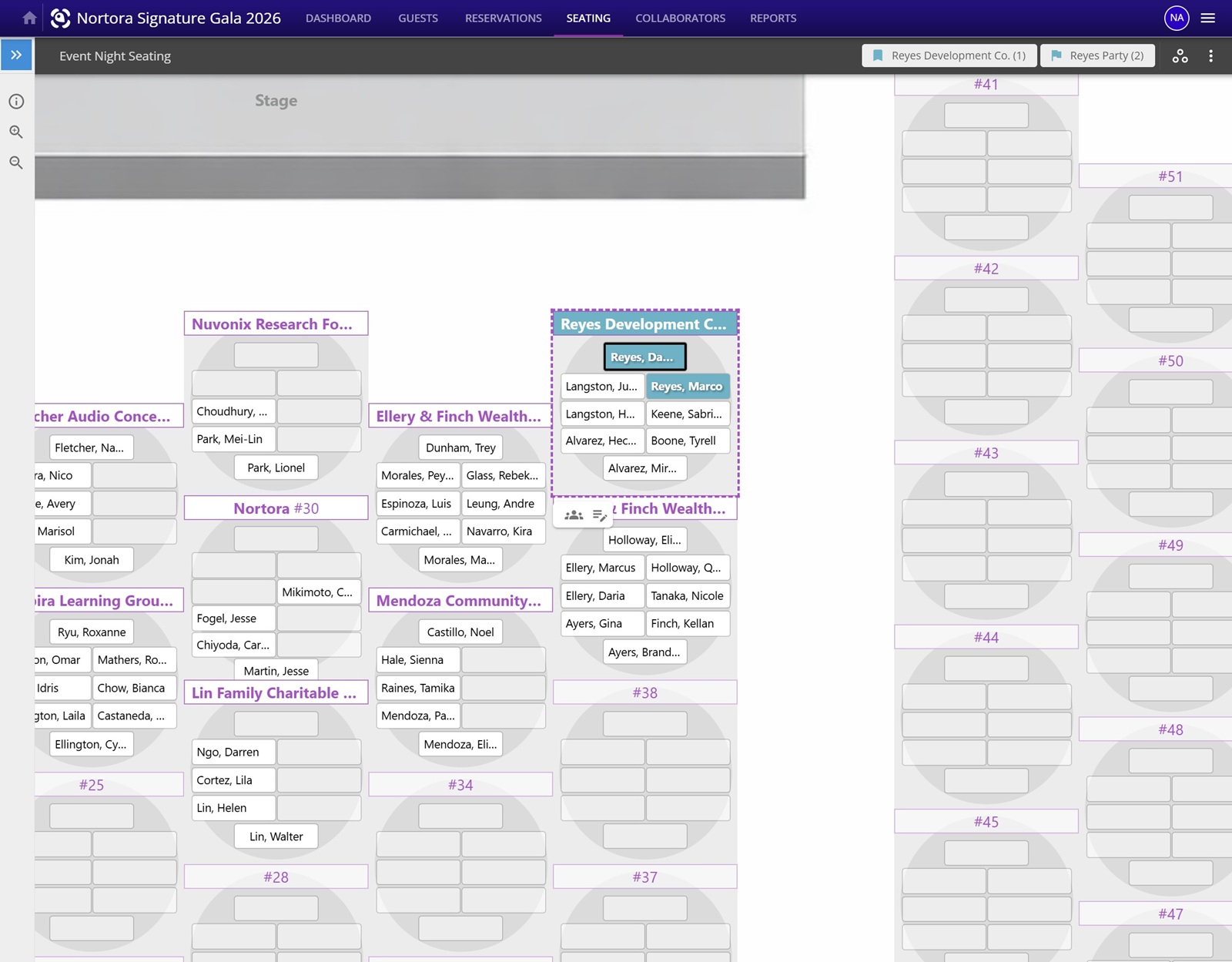
Toggle to card view when names matter most
Review each table by guest name while preserving the general seat layout, making it easier to spot who is sitting together, nearby, or back to back.
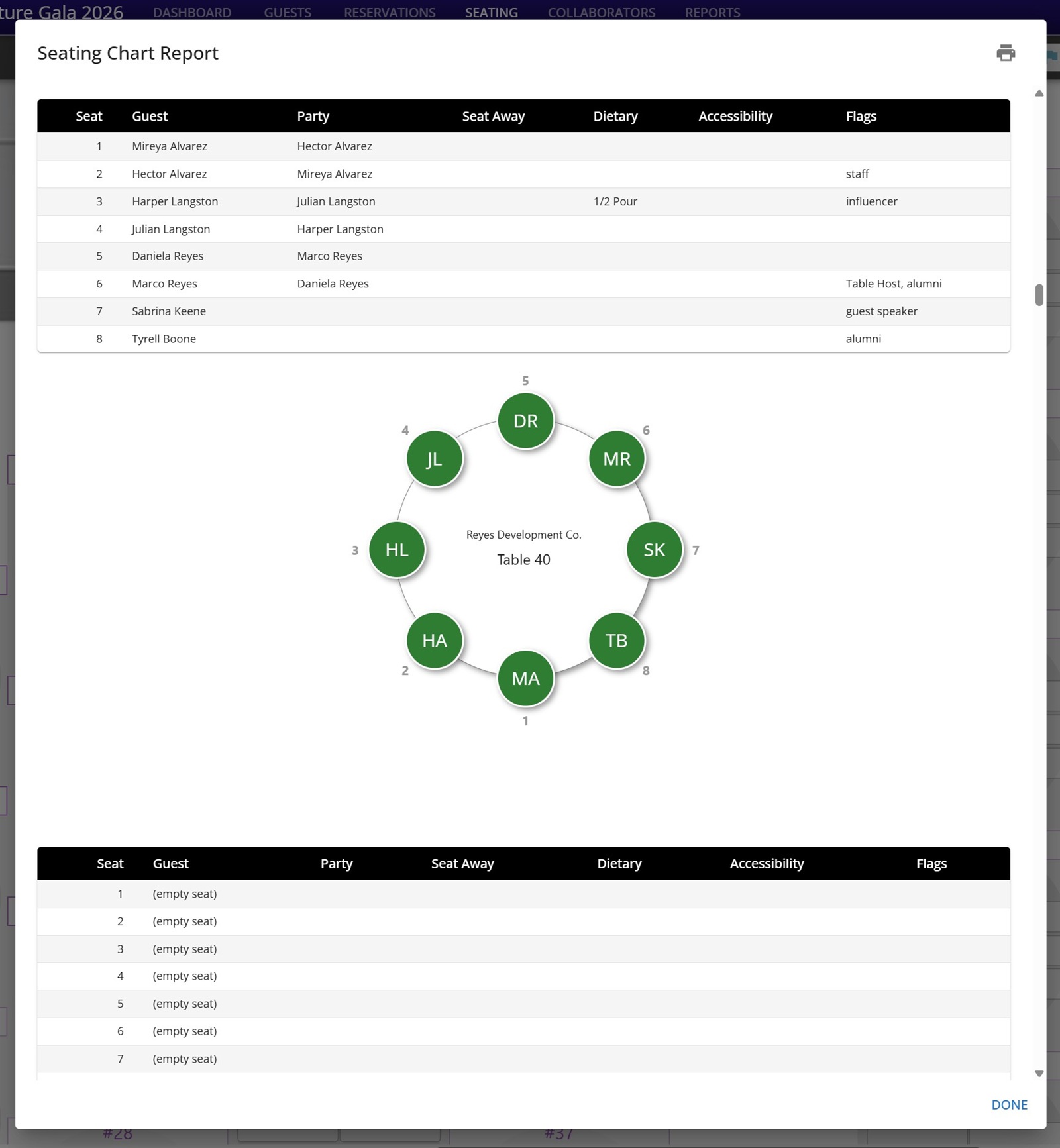
Print-ready seating reports
Generate table-by-table seating reports with guest names, parties, seat-away notes, dietary needs, accessibility notes, and custom flags.
At a fundraising event, seating decisions carry relationship, revenue, hospitality, and logistics context. Nortora was built to keep those details close to the seating workflow instead of scattered across spreadsheets, inboxes, and sticky notes.
Hosted guests, reservation contacts, sponsor names, and table groups need to stay connected while your team assigns seats and fills gaps.
Donors, board members, honorees, alumni, speakers, and VIPs often need thoughtful placement. Seating should help your team remember the context.
Meal selections, dietary notes, accessibility considerations, and guest status can all matter when your team is finalizing the room and preparing check-in.
Nortora connects seating with the rest of the gala plan, so the chart is not isolated from reservations, sponsorships, meals, and event-night operations.
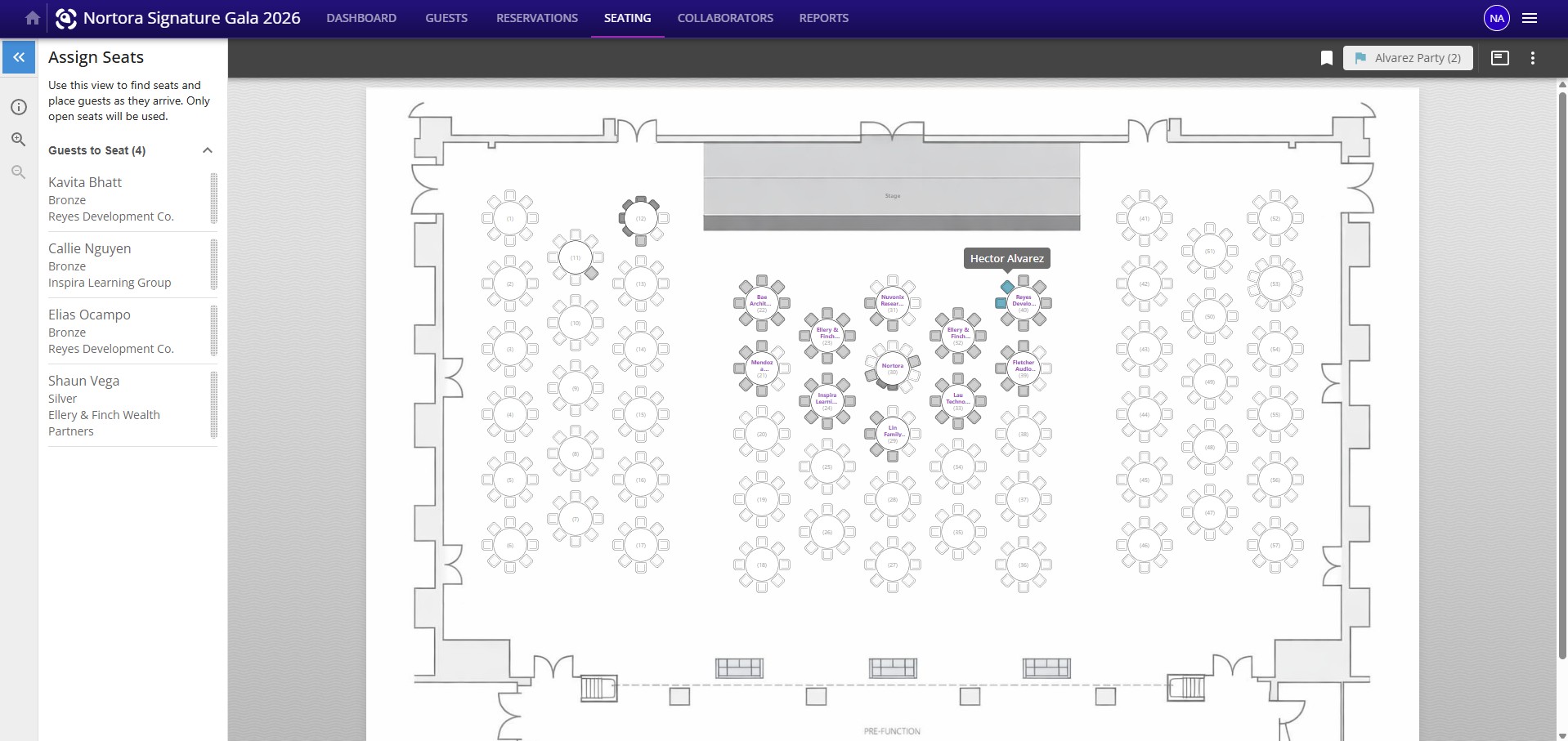
Seat guests with the full gala context in view
Keep unseated guests, sponsor tables, table numbers, guest parties, assigned seats, and check-in status connected in one workspace.
Seating rarely happens once. Nortora is designed for the back-and-forth that happens as guests respond, sponsors send names, meal needs surface, and leadership asks for changes.
Set up the floor plan, tables, and seating structure your team will use to organize the event.
Place attendees visually while keeping guest, sponsor, and reservation context nearby.
See what still needs attention, including unseated guests and event details that could affect the plan.
Give the check-in workflow the table and seat details volunteers need when guests arrive.
Many seating tools can place people at tables. Nonprofit teams also need to understand who belongs to a sponsor, who is a guest of whom, who still needs assignment, and what details matter when the doors open.
Nortora treats seating as one connected step in the gala lifecycle, alongside guests, reservations, sponsor tables, meals, reporting, and check-in. That makes the chart more useful before, during, and after the event.
Plan note
Advanced tools such as smart placement, higher limits, and readiness support vary by plan. Start with the workflow that matches your event size, then move up as your gala season becomes more complex.
Compare Seating by PlanA few quick answers for teams evaluating Nortora for a seated fundraising event.
Yes. Nortora includes drag-and-drop seating charts so planning teams can place guests at tables, adjust assignments, and prepare the room for event night. Advanced automation and readiness tools vary by plan.
Yes. The seating workflow is designed around sponsor tables, hosted guests, donor relationships, meals, accessibility notes, and check-in context.
Yes. Nortora connects seating with reservations and sponsorship workflows so planners can manage who is assigned, who still needs a seat, and which guests belong with a sponsor, host, or table group.
Start in minutes. No credit card required.
Start for Free